
Canonical and meta tag tool
Enter a live page URL to fetch its HTML head through the checker API, then review the canonical URL, title tag, meta description, robots directives, Open Graph tags, Twitter cards, and URL consistency.
Canonical URL and meta tag checker
Use this canonical URL and meta tag checker before publishing or refreshing an SEO page. Enter a live URL and the checker API will fetch the page <head>, then review the canonical link, title tag, meta description, robots directives, Open Graph tags, Twitter cards, and URL consistency.
Example: checking a live SeoGeo Tech article
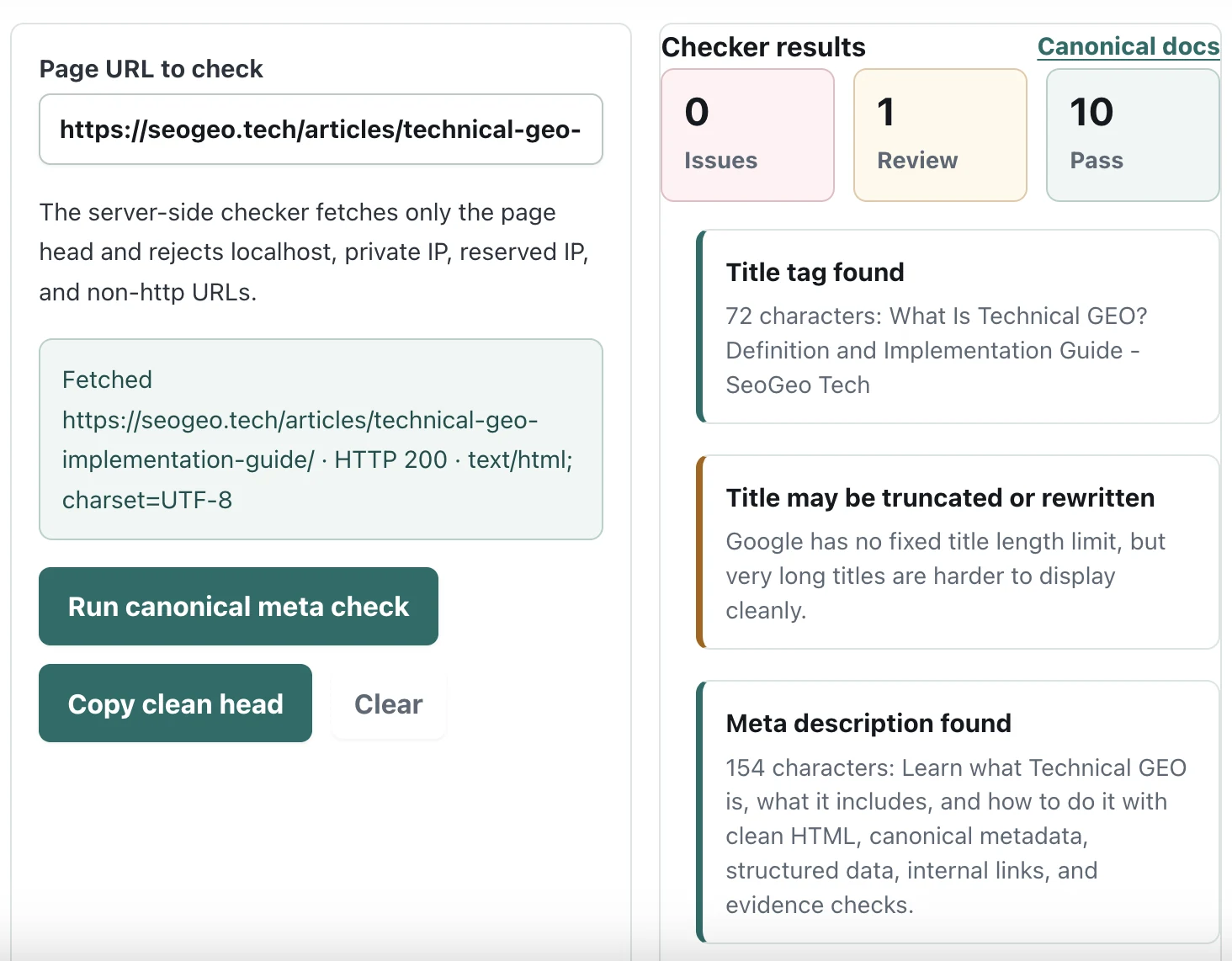
The screenshot below shows this checker running against the Technical GEO implementation guide. In this example, the tool fetched the live page head, found the title and meta description, and surfaced one review note about title display length. I treat that kind of review item as a prompt for manual judgment, not as an automatic error.
What this checker validates
| Signal | What the tool checks | Why it matters |
|---|---|---|
| Title | Missing, empty, duplicate, unusually short, or unusually long titles. | The title is a core page identity signal and may influence the title link shown in search. |
| Meta description | Missing, duplicate, empty, thin, or very long descriptions. | Google may use the description for snippets when it better describes the page. |
| Canonical URL | Missing canonical, multiple canonicals, relative URLs, fragments, HTTP canonicals, and mismatch with the checked URL. | Canonical hints help consolidate duplicate or similar URLs. |
| Robots directives | noindex, nofollow, duplicate robots tags, and crawler-specific Googlebot directives. | Robots meta tags can directly affect indexing and link following. |
| Open Graph and Twitter tags | Social title, description, image, URL, and Twitter card presence. | These are not ranking requirements, but they reduce preview inconsistency when pages are shared. |
My post-publish checker workflow
I use this checker after publishing or refreshing an important page, especially before requesting indexing again. The goal is not to chase a perfect score; it is to confirm that the live HTML still says what the page template, SEO plugin, and article content were supposed to say.
- Run the live URLUse the final public URL, not a preview URL, staging URL, or editor URL.
- Compare page identityCheck whether title, description, canonical, and og:url describe the same source page.
- Review warnings manuallyA long title or different canonical may be acceptable depending on the page purpose.
- Check source if neededUse the copied clean head as a comparison aid, then confirm the final source or SEO plugin output.
On SeoGeo Tech, this check is part of my post-publish QA flow for technical articles. It helps catch small mismatches before they become confusing signals in Search Console, social previews, or internal documentation.
How to use the results
Treat issue items as implementation problems to fix before launch. Treat review items as editorial or intent checks. For example, a canonical URL that differs from the page URL is correct for a duplicate URL, but suspicious for a normal article URL.
The clean head baseline is a drafting aid, not a replacement for your SEO plugin or template logic. Compare it with the live source after publishing, then check the final URL with your normal crawl, Search Console, or browser source workflow.
What this checker does not prove
This checker does not prove that Google selected your preferred canonical, indexed the page, used your meta description as the snippet, or kept your title unchanged in search results. Google treats canonical tags and metadata as signals, and final search presentation can depend on page content, duplication patterns, query intent, crawl history, and other context.
The tool also does not evaluate the body content. A page can have clean metadata and still be low value if the visible content is thin, copied, hard to navigate, or not useful. For AdSense review, this checker is a supporting quality-control tool; it does not replace original content, clear policies, and a good user experience.
Common mistakes this checker can catch
| Mistake | Why it matters | What to review |
|---|---|---|
| Canonical points to the wrong URL | The page may send conflicting source-page signals. | Compare canonical, og:url, sitemap URL, breadcrumbs, and internal links. |
| Old meta description after a refresh | The page may be updated while the summary still describes the old intent. | Check the description against the current H1, intro, and main sections. |
| Multiple canonical or description tags | Plugins, themes, and templates can output duplicate metadata. | Inspect the final rendered head, not just the CMS settings screen. |
| Noindex on a page that should rank | A robots meta directive can prevent indexing even when the content is good. | Confirm whether noindex is intentional before requesting indexing. |
Reference standards
- Google Search Central: canonical URL methods and best practices
- Google Search Central: meta tags and attributes Google supports
- Google Search Central: snippets and meta descriptions