
SEO
How to turn keyword research into a practical SEO page map with intent, page type, content requirements, and internal linking decisions.
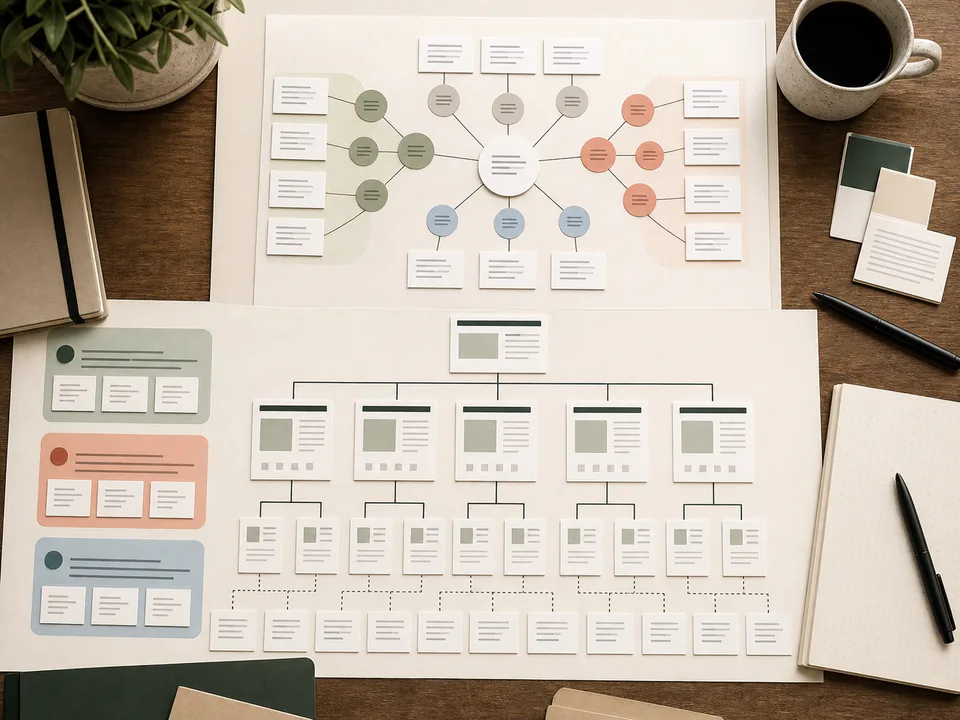
Keyword research is often treated as a list of phrases. For implementation, a list is not enough. A useful keyword process turns search demand into a page map: which topics deserve pages, what each page should do, how deep it should be, and where it belongs in the site architecture.
Start with tasks, not volume alone
A query is a clue about a task. The same topic can require different pages depending on whether the reader wants a definition, a checklist, an example, a comparison, or a troubleshooting answer.
| Keyword pattern | Reader task | Page type | Content requirement |
|---|---|---|---|
| what is generative engine optimization | Understand a concept | Definition guide | Clear definition, scope, examples, related terms. |
| seo title tag example | Copy a pattern | Snippet guide | Good and weak examples, CMS notes, validation checklist. |
| canonical vs redirect | Choose between options | Comparison guide | Decision table, failure modes, implementation examples. |
| llms txt example | Implement a file | Configuration guide | File example, placement, maintenance workflow. |
Create a page map
The page map is the bridge between research and production. It prevents two common problems: writing one huge page that tries to answer every intent, or publishing many thin pages that repeat each other.
Topic cluster: Technical SEO

Hub page:
- /technical-seo/
- Job: explain the discipline and link to implementation guides

Supporting pages:
- /articles/metadata-canonical-url-examples/
- Job: show title, description, canonical, and framework examples

- /articles/robots-txt-sitemap-examples/
- Job: show crawler access configuration examples

- /articles/rendering-performance-seo/
- Job: explain rendering and speed decisions for content sites
Decide when a query deserves its own URL
A query deserves a page only if the page can offer distinct value. If the answer is a paragraph, it probably belongs inside a larger guide. If the query needs examples, tables, screenshots, templates, or a workflow, it may deserve its own URL.
The topic requires a reusable template, code examples, and common mistake notes.
The phrase is a minor wording variation of a page you already have.
Write briefs that force specificity
A strong content brief should include the reader task, not only keywords. It should also define what the article must prove or demonstrate.
Content brief

Primary topic: structured data JSON-LD examples
Reader task: add honest Article and BreadcrumbList schema to an editorial page
Must include:
- visible HTML content that matches the schema
- Article JSON-LD example
- BreadcrumbList JSON-LD example
- rules for avoiding fake FAQ, Review, and Product markup
- validation checklist
Internal links:
- technical SEO implementation checklist
- GEO content structure examples
Connect the map with internal links
After publishing, link between the hub and supporting articles. The hub should explain the topic and route readers to deeper implementation pages. Supporting pages should link back to the hub and sideways to related workflows.
Turn raw keywords into page decisions
A keyword list becomes useful only after it changes the publishing plan. Start by grouping phrases by intent, then decide whether each group deserves a hub section, a standalone guide, a short FAQ answer, or no page at all. This prevents the site from creating ten weak URLs for small wording variations.
| Keyword group | Intent split | Page decision | Internal link target |
|---|---|---|---|
| technical seo checklist, seo audit checklist | Workflow | One checklist page with validation steps. | /articles/technical-seo-implementation-checklist/ |
| meta title example, meta description example | Snippet | One examples page, not separate pages for each tag. | /articles/metadata-canonical-url-examples/ |
| robots txt example, sitemap example | Configuration | One crawler-access guide with safe defaults. | /articles/robots-txt-sitemap-examples/ |
| what is geo, generative engine optimization | Definition plus practice | Core definition page plus implementation articles. | /generative-engine-optimization/ |
Prioritize by usefulness, not volume alone
Search volume can point to demand, but it does not tell you whether the site can write a better page. For a technical library, prioritize topics where you can provide examples, configuration, validation, or a decision table. A smaller query with strong implementation value can be more useful than a broad phrase that produces another generic overview.
Priority score

Reader task clarity: 1-5
Ability to provide original examples: 1-5
Fit with existing hub: 1-5
Maintenance cost: low / medium / high
Risk of overlap with existing URL: low / medium / high
Cannibalization check
Before creating a new page, search your own site for the topic. If an existing article already answers the task, improve that page instead of publishing a near-duplicate. If two pages must coexist, make the difference visible in the H1, intro, examples, and internal links.
- Does the new page have a distinct reader task?
- Does it need its own code sample, checklist, or table?
- Can the hub page explain why this page exists?
- Will at least three existing pages link to it naturally?
References
Example page brief from a keyword cluster
The brief below shows how a cluster becomes an article assignment. It is intentionally specific enough that a writer cannot turn it into a generic overview.
Working title: Robots.txt and Sitemap Examples for Content Sites
Primary task: help a site owner publish safe crawler access files
Must include:
- safe default robots.txt
- WordPress robots.txt pattern
- sitemap.xml and sitemap index examples
- paths that should not appear in a sitemap
- validation commands using curl
Internal links:
- Technical SEO Implementation Checklist
- Metadata and Canonical URL Examples
- Rendering and Performance for SEO
Do not include:
- ranking promises
- invented crawl budget numbers
- unsupported claims about AI systems
Internal link plan for the cluster
After the brief is approved, define the link plan before writing. The hub page should link down to the article, the article should link back to the hub, and related examples should link sideways. This turns keyword research into architecture instead of a spreadsheet that never reaches the site.
- Hub to guide: use the exact task as anchor text.
- Guide to hub: link the first mention of the broad topic.
- Guide to guide: link only where the next page helps the reader continue.
- Old page to new page: add a contextual link during the next refresh.
Practical rollout notes
Use the page map before assigning articles. It gives the editor a reason to create, merge, or reject a URL before writing begins, which is much cheaper than fixing overlap after publication.
Acceptance criteria
Page: Keyword Research That Turns Into a Page Map
Reader task: clear in the introduction
Implementation proof: examples, tables, commands, or checklist present
Trust proof: dates, author or publisher context, and source links where needed
Maintenance proof: revisit trigger documented- Each proposed URL has a distinct reader task.
- The hub page explains why the supporting page exists.
- No two planned articles target the same intent with different wording.
- The brief lists examples or templates the page must include.
When to revisit
Revisit the map after every five to ten new articles. A cluster that looked clean at the start can become messy once refreshes, comparisons, and supporting guides accumulate.
Recommended Reading
Use these guides when a keyword cluster points to a real implementation page instead of another thin article.
- Technical GEO Implementation Guide – Turn technical GEO queries into one implementation hub with supporting pages.
- GEO Content Audit Workflow – Check whether an existing article should be improved before a new URL is created.
- Site Architecture and Internal Linking for SEO – Map hub, support, and sideways links for the approved cluster.
- GEO Content Structure Examples – Convert the page brief into answer blocks, tables, examples, and caveats.