
Find out whether your page actually answers the queries already appearing in Google Search Console — and whether you should improve the page, add a section, strengthen internal links, or create a separate article.
SeoGeo Tech example: Partial does not always mean add more content
One real way I use this analyzer is after Search Console shows a query pattern that deserves a closer look. For example, I tested the Technical GEO implementation guide against the query what is generative engine optimization. That query is related to the site, but it is broader than the main job of the Technical GEO page.
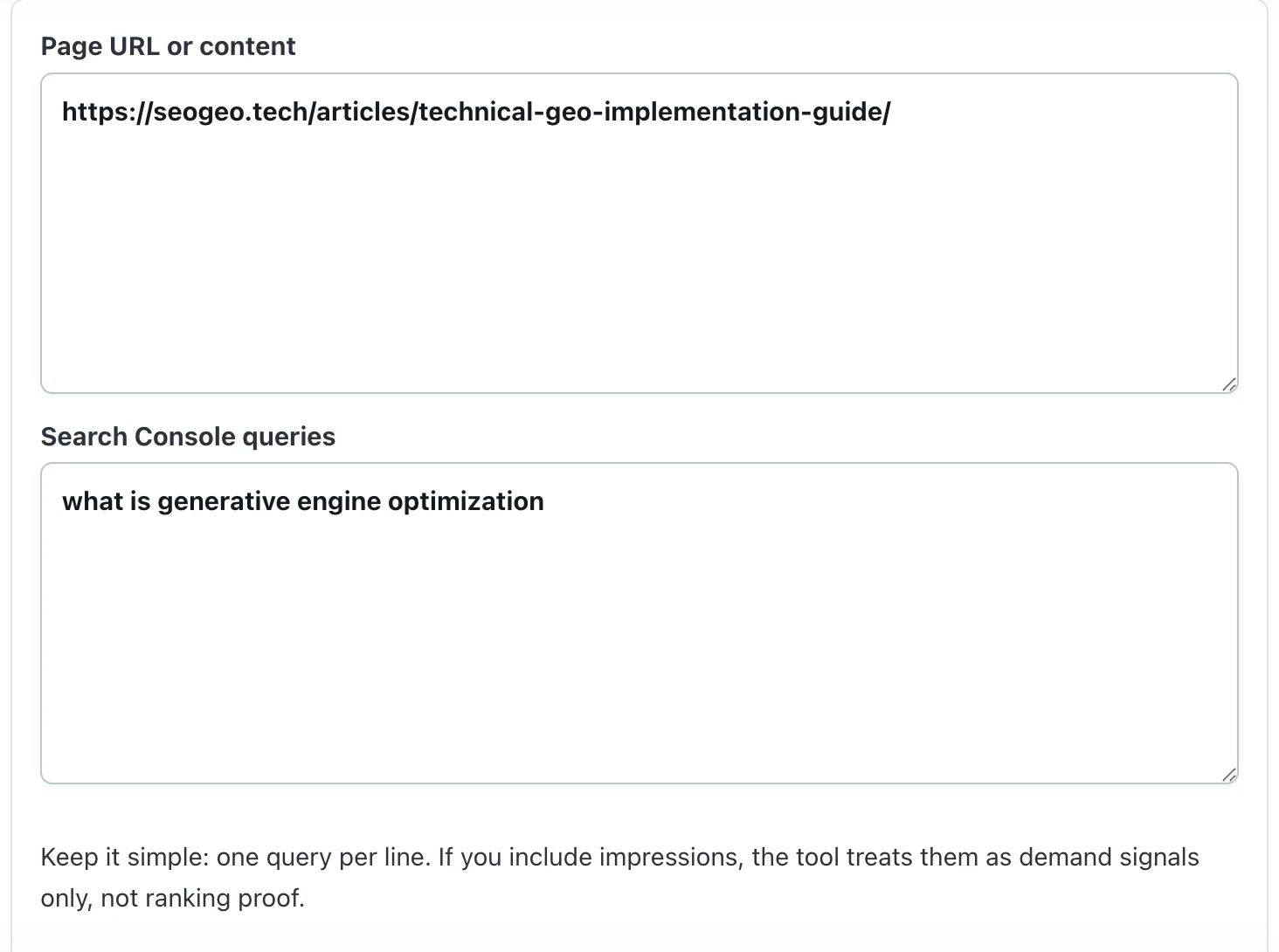
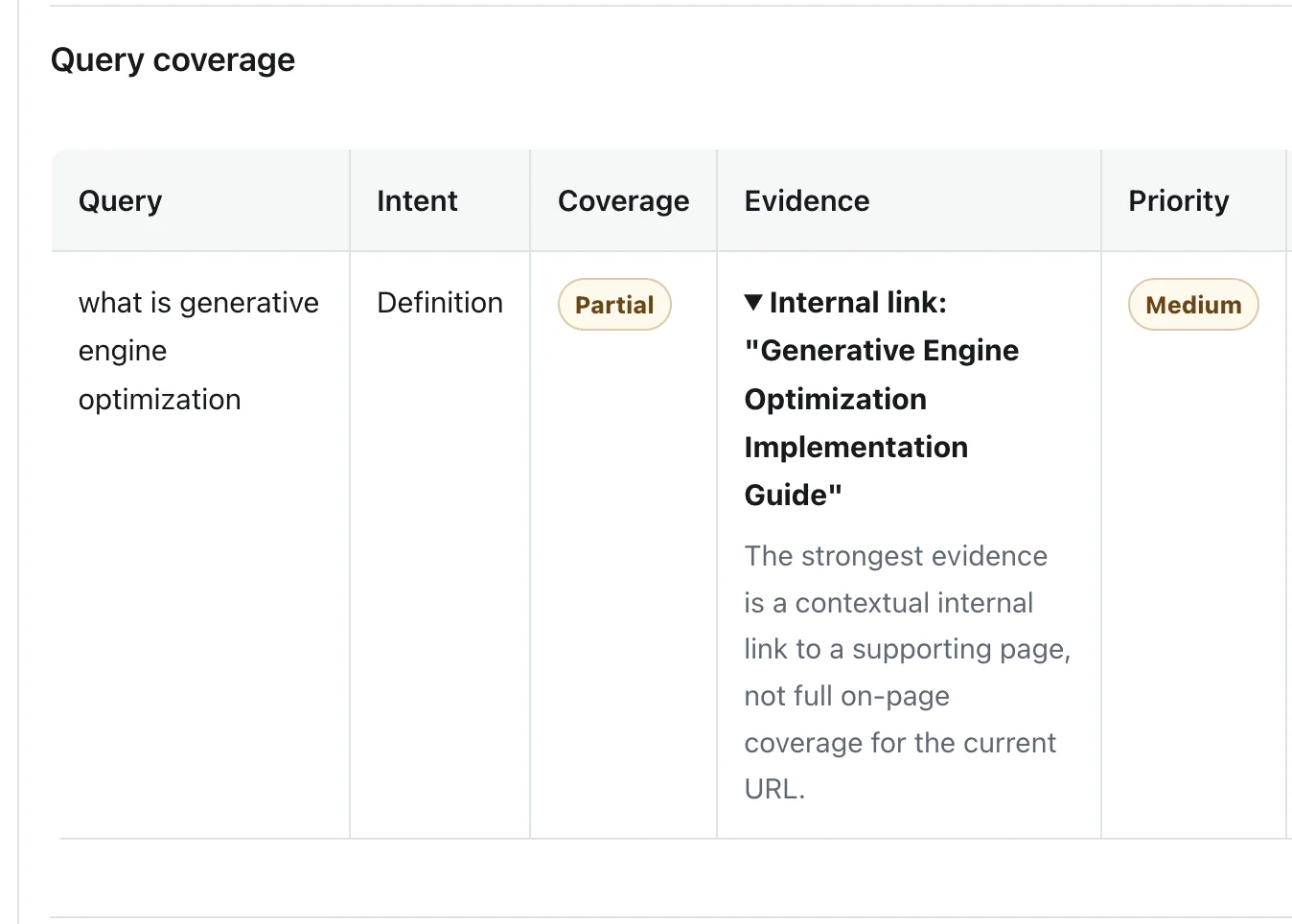
In this case, I would not automatically add a full What is Generative Engine Optimization? section to the Technical GEO article. The better decision is usually to keep the Technical GEO page focused, make sure the internal link to the broader GEO page is clear, and only add a short bridge sentence if it helps readers understand the relationship.
| Signal | What I saw | How I used it |
|---|---|---|
| Coverage | Partial | The current URL is related to the query, but it is not the best source page for the full definition. |
| Priority | Medium | Worth reviewing, but not urgent enough to rewrite the page or create overlapping content. |
| Evidence | Internal link to a broader Generative Engine Optimization guide | Improve routing and context instead of forcing the whole topic into the wrong page. |
| Manual decision | Keep the page focused on Technical GEO | Use a concise explanation or internal link if the relationship is helpful for readers. |
How I read Coverage and Priority
The most important distinction is that Coverage and Priority are not the same thing. Coverage describes how directly the analyzed page answers the supplied query. Priority describes how strongly the result suggests a review or improvement.
| Label | How I interpret it | What I do next |
|---|---|---|
| Strong coverage | The page has a clear heading, answer block, table, example, or other visible evidence for the query. | Usually keep the page as the source and monitor Search Console for new patterns. |
| Partial coverage | The page mentions the topic, links to it, or covers only part of the intent. | Manually decide whether the current page should answer the query or route readers to another page. |
| Weak coverage | The page does not meaningfully answer the supplied query. | Consider a new section, stronger internal link, content refresh, or separate article if the intent is different. |
| Medium priority | The issue deserves review, but the tool is not saying the page is broken. | Check GSC data, page purpose, headings, and existing supporting pages before changing anything. |
Field note from SeoGeo Tech
I have also used this workflow when a group of related queries looked uneven in Search Console. In one review, a query was visible in the article body but did not have a clear section heading or dedicated answer block. I treated that as a content-structure issue, not as proof that the missing H2 caused the weaker visibility. The practical fix was to check whether the topic genuinely belonged on the page, then make the section easier for readers and search systems to identify.
That is the kind of edit I trust more than keyword stuffing. If the topic belongs on the current URL, I improve the structure. If the topic belongs somewhere else, I improve the internal link. The tool helps me slow down before making the wrong change.
How it works
The workflow is intentionally simple: paste one page, paste the queries you already see in Search Console, then review the result before making an editorial decision.
- Paste URLEnter any public URL, or paste page content directly.
- Paste QueriesAdd one Google Search Console query per line.
- Run AnalysisReview the coverage label, evidence, priority, and suggested next action.
- Decide ManuallyChoose whether to improve the page, add a section, strengthen internal links, create a separate article, or wait.
This tool reviews content quality. It does not measure:
- Rankings
- AI Overview inclusion
- AI Mode visibility
- AI citations
Google continues to recommend crawlable pages, helpful content, internal links, and structured data that matches visible page content.
What the tool checks
| Check | What it means | Why it helps |
|---|---|---|
| Intent Analysis | Classifies queries as definition, how-to, comparison, component, technical SEO, Search Console, or AI search intent. | A page can mention a keyword but still miss what the searcher is trying to do. |
| Content Coverage | Compares the query intent with the page title, headings, body text, examples, and evidence. | This helps decide whether to refresh one page or create a separate article. |
| GEO Readiness | Looks for answer-first sections, examples, caveats, internal links, and source-verifiable explanations. | Clear, grounded content is easier for readers and answer-style systems to interpret. |
| Technical Signals | Reviews detected title, canonical URL, structured data types, headings, image alt text, and internal links when HTML is supplied or fetched. | AI search visibility still depends on ordinary SEO foundations and indexable, understandable pages. |
Best use cases
- Refreshing an SEO or GEO article after new Search Console queries appear.
- Validating whether multiple Search Console queries should stay on one page or become separate articles.
- Reviewing a page before requesting indexing after a major update.
- Finding missing H2 sections, tables, examples, screenshots, and internal links before requesting indexing again.
- Checking whether an older article feels too template-like and needs a real field note, screenshot, or manual decision point.
- Creating a short manual prompt set for AI search visibility checks without claiming that the tool measures live AI citations.
FAQ
Does this tool connect to Google Search Console?
No. Paste queries manually. The tool does not request Search Console access, OAuth permission, or property access.
Does it measure AI Overview rankings?
No. It evaluates content only. It does not measure rankings, AI Overview inclusion, AI Mode visibility, or AI citations.
Does Strong coverage mean my page will rank?
No. The tool reviews content quality. It does not predict rankings. Strong coverage only means the supplied page appears to answer the supplied query well.
What should I do with a Weak or Partial result?
First decide whether the query belongs on the current page. If it does, improve the relevant heading, section, example, table, or answer block. If it does not, consider a clearer internal link to the better source page or a separate article with genuinely different intent. A Weak or Partial result is a review signal, not an instruction to add keywords.
Should I follow every recommendation?
No. Review suggestions manually before changing titles, sections, internal links, canonical URLs, or structured data.
Privacy and limits
The analyzer sends your page URL or pasted content and query list to the SeoGeo Tech API. In URL mode, our server fetches the page and extracts text and page signals. When AI analysis is attempted, extracted content, queries, any supplied metrics and derived matching evidence are sent to an external AI service.
A basic fallback result can appear after an AI request fails; it does not mean the input stayed on this site. The tool requires neither login nor Search Console account access. Use public, non-confidential information only, and do not submit URLs containing access tokens. See the Privacy Policy for data handling details.
The output is an editorial review aid. It should be checked by a human before changing titles, content, canonical URLs, schema, or internal links.